Language Support
Copy the link https://gmvictimsservices.org and paste it into your web browser.
Step 1: ‘Click’ the three dots to the right of the web browser screen.
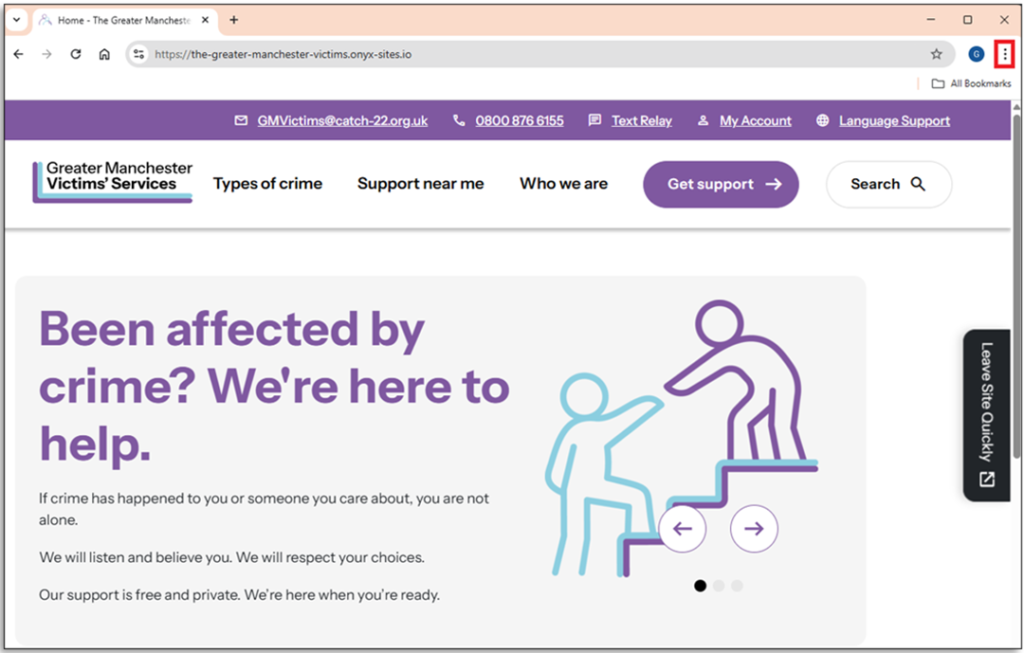
Step 2: From the drop-down menu ‘Click’ ‘Settings’.
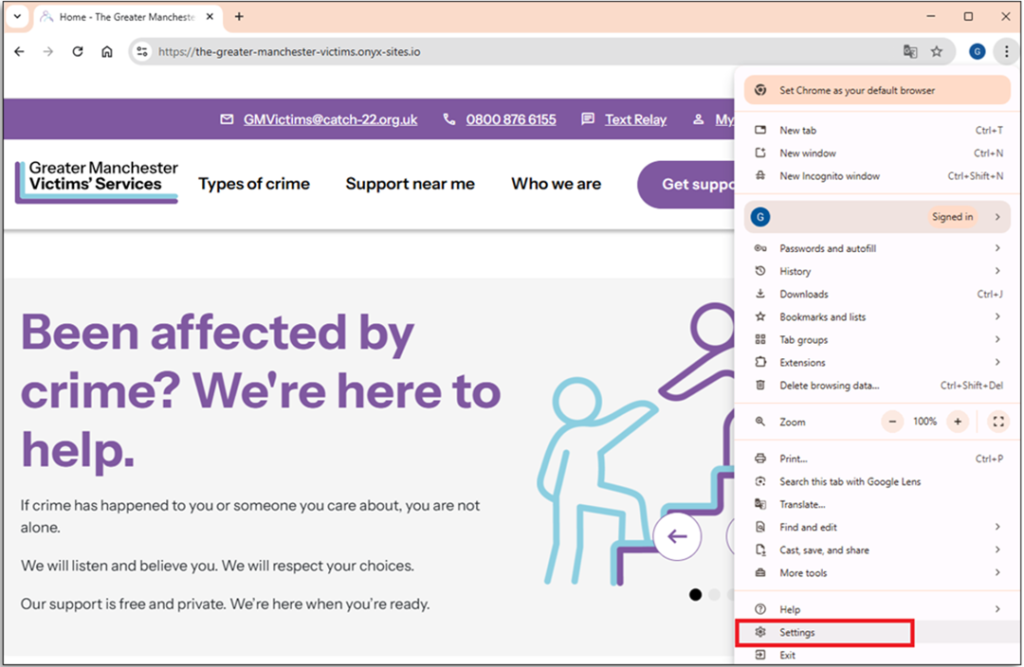
Step 3: On the left side of the page in the setting sidebar ‘Click’ Languages.
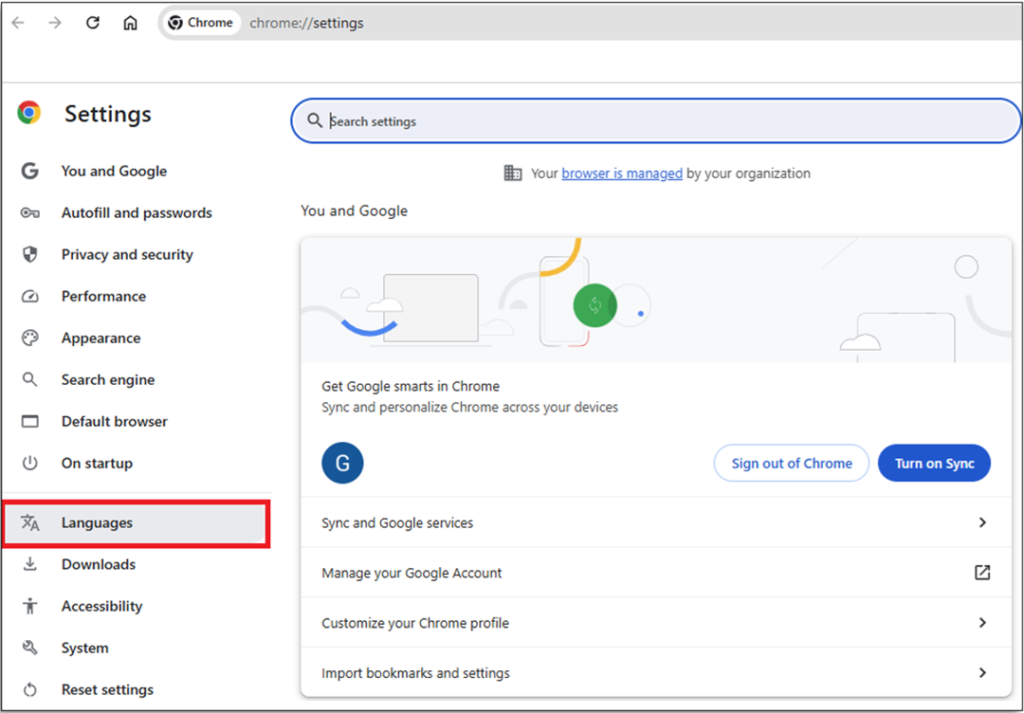
Step 4: On the top right of the page ‘Click’ ‘Add Languages’.
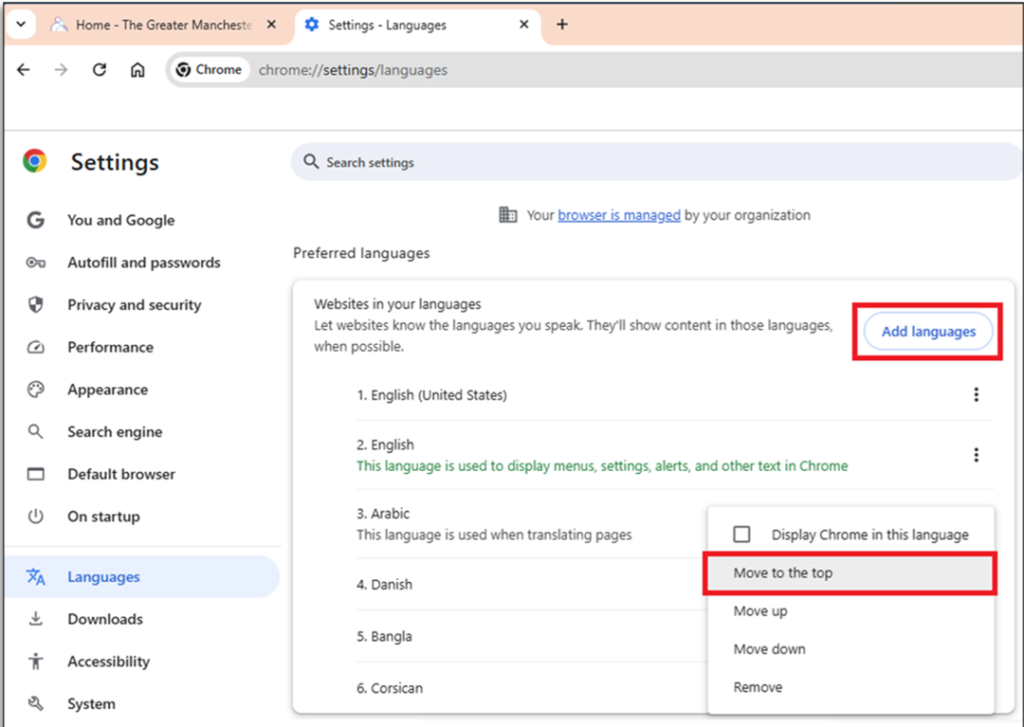
Step 5: Choose a language from the drop-down menu. In this Scenario Arabic is selected.
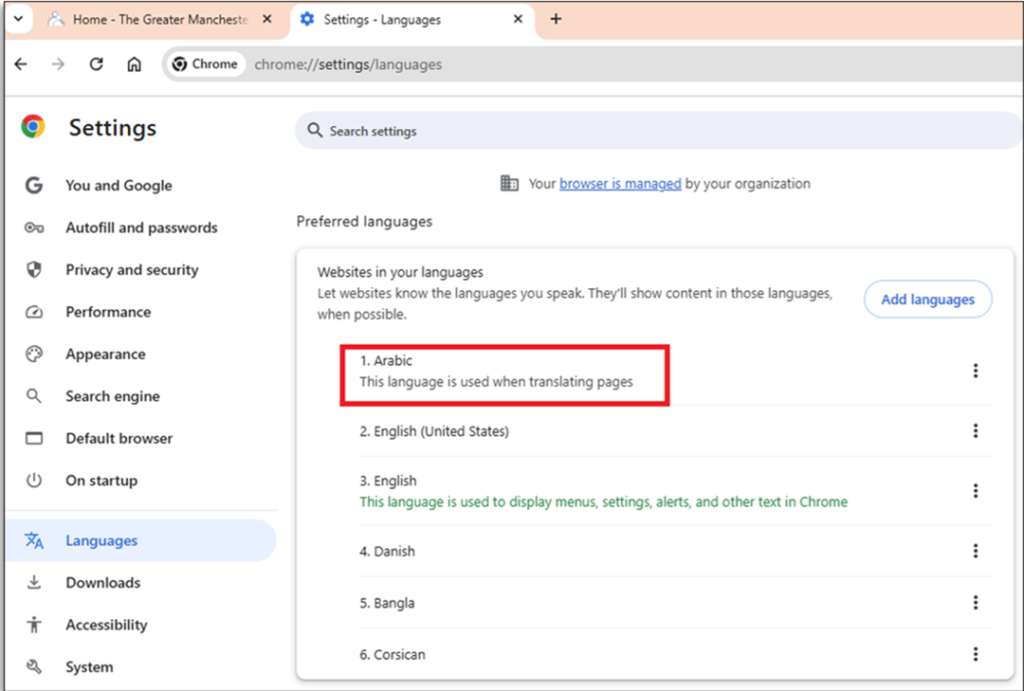
Step 6: ‘Click’ ‘Translate’
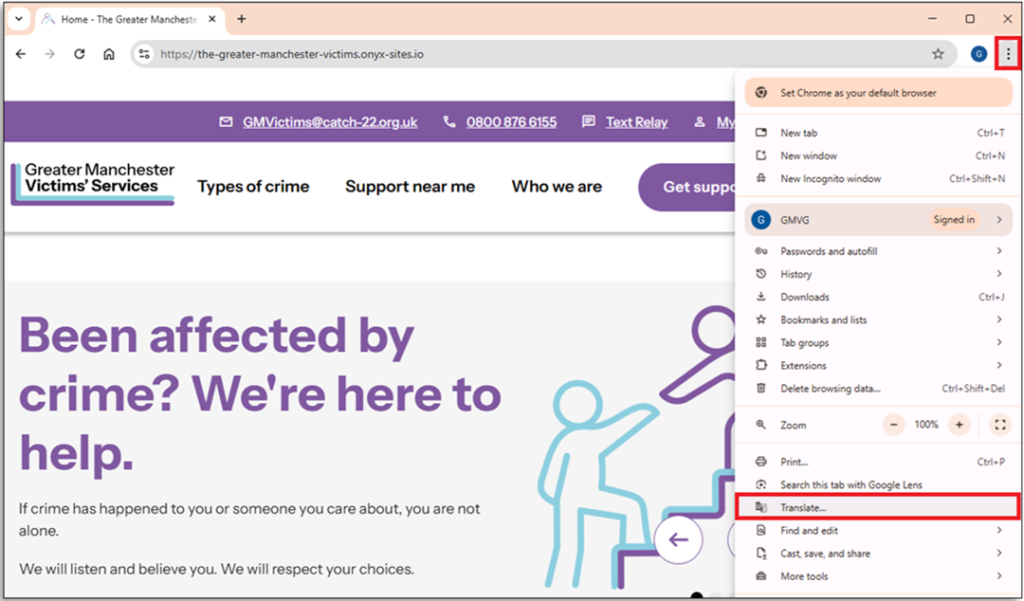
Step 7: If the page does not translate, ‘Click’ the ‘translate button’
Step 8: ‘Click’ on the language previously selected. The page will translate.
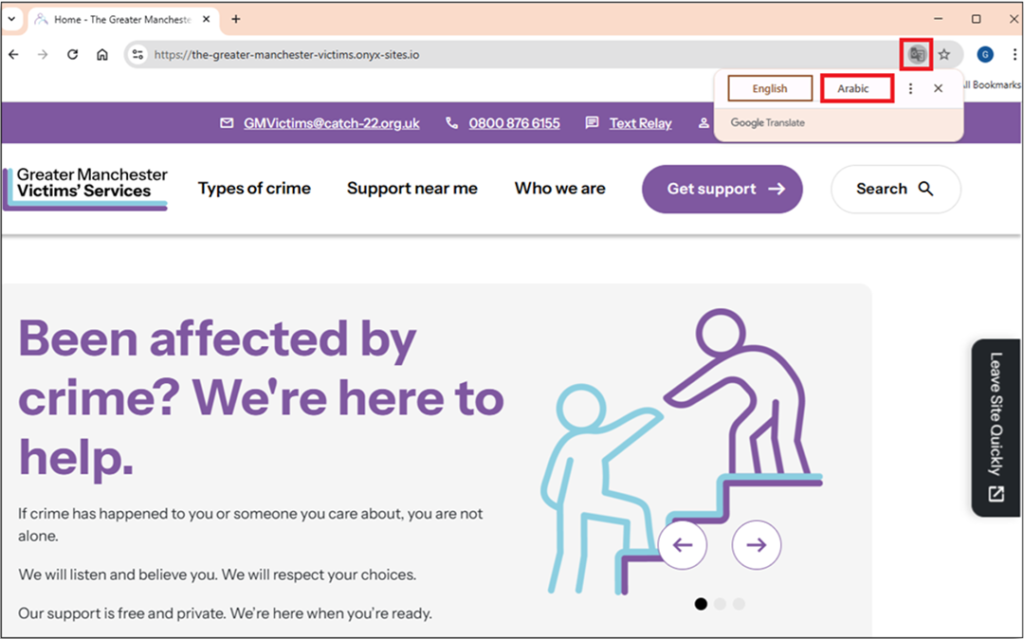
Step 9: You may also need to ‘click’ the ‘Refresh Page button’
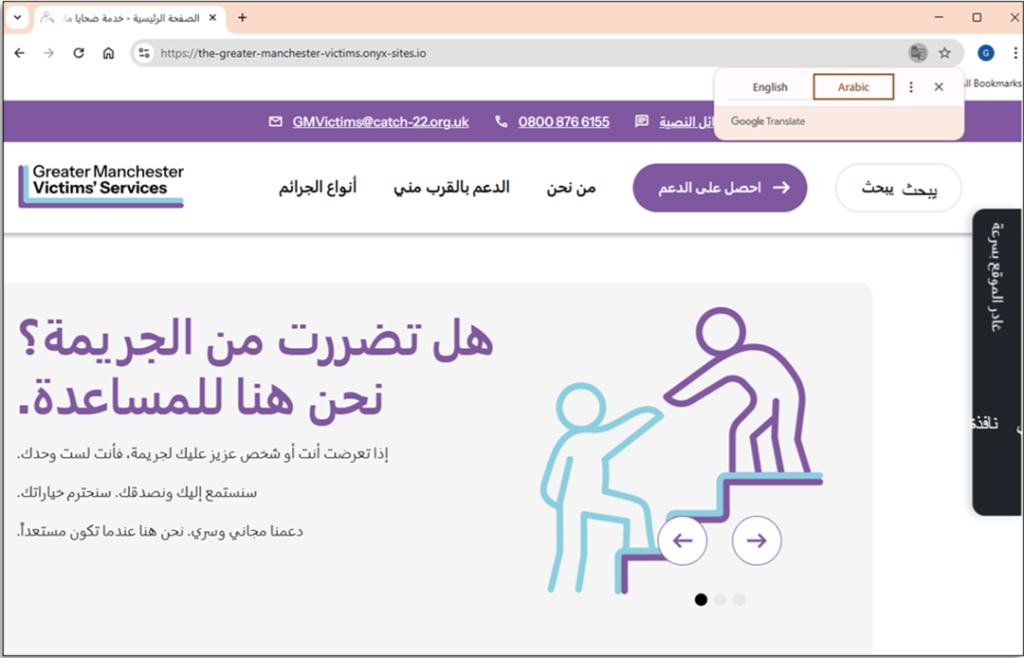
Step 10: Note: If the page has not translated repeat the steps. The site will display the translated page.
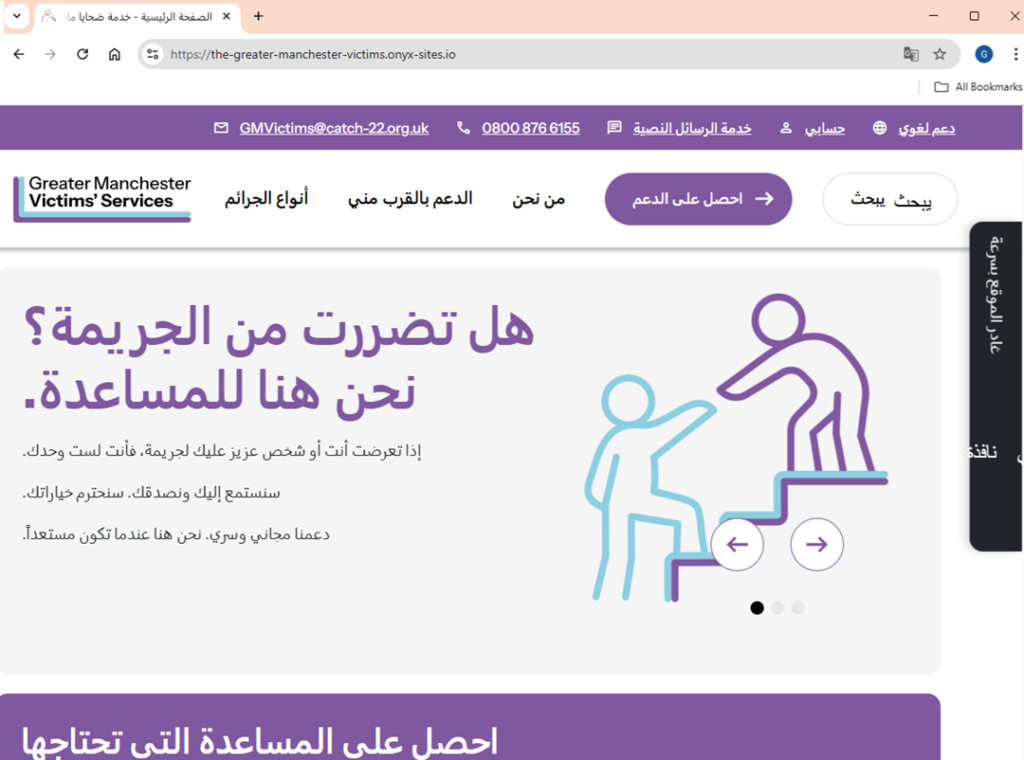
Note: If you want to revert to the original language repeat the process.
Copy the link https://gmvictimsservices.org and paste it into your web browser.
Method 1
Step 1: Right click on the page and select ‘Translate to’:
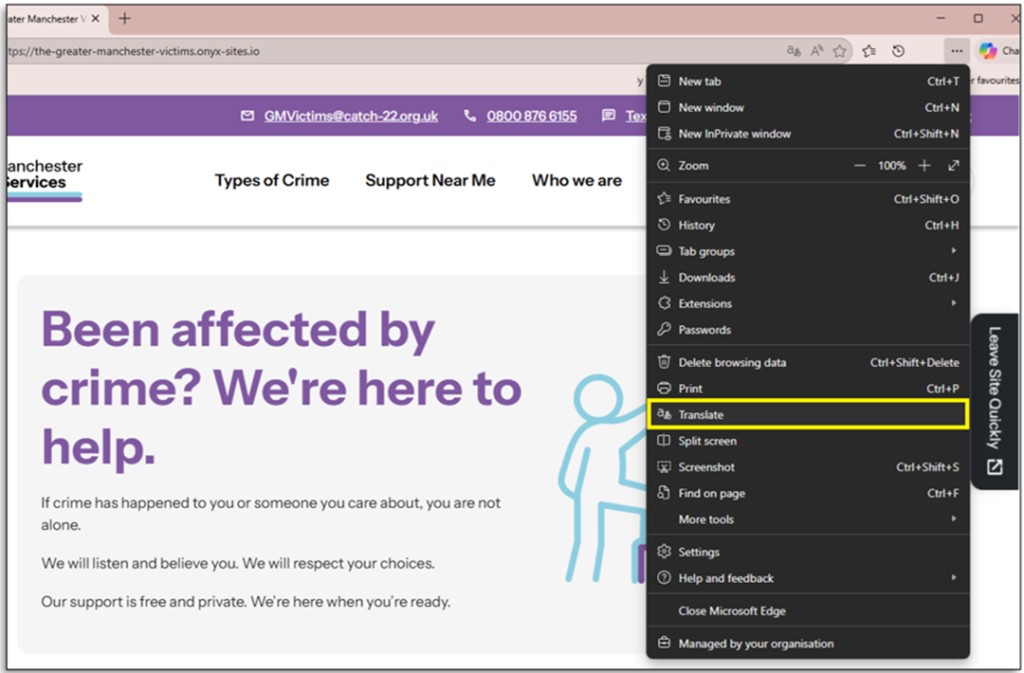
Step 2: The site will display the translated page.
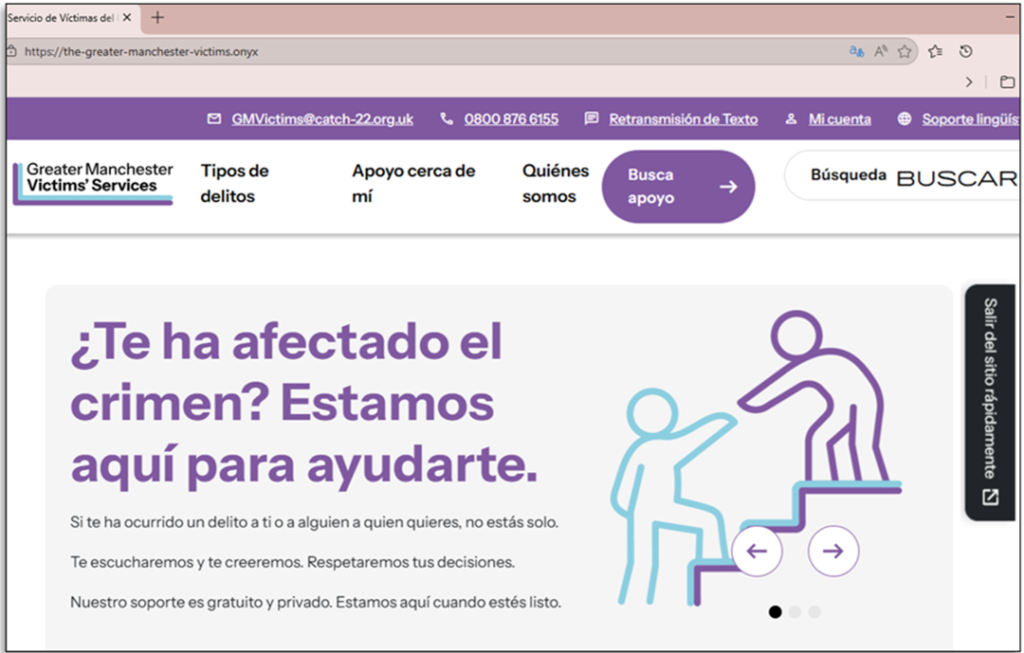
Note: If you want to revert to the original language reverse the process.
Method 2
Step 1: ‘Click’ the three dots to the right of the web browser screen.
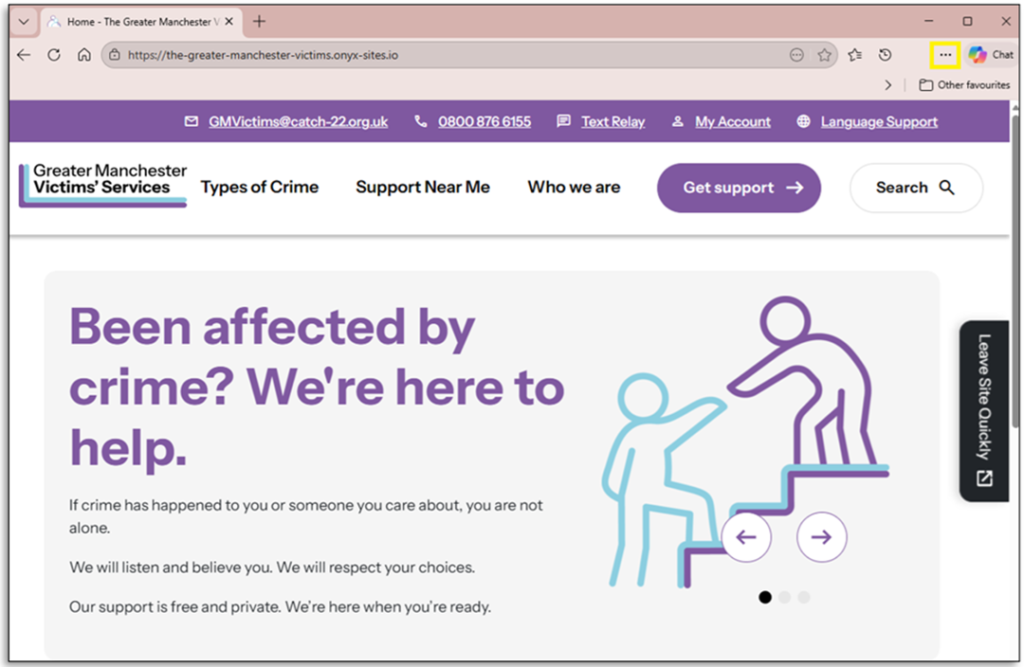
Step 2: From the drop-down menu ‘Click’ ‘Settings’.
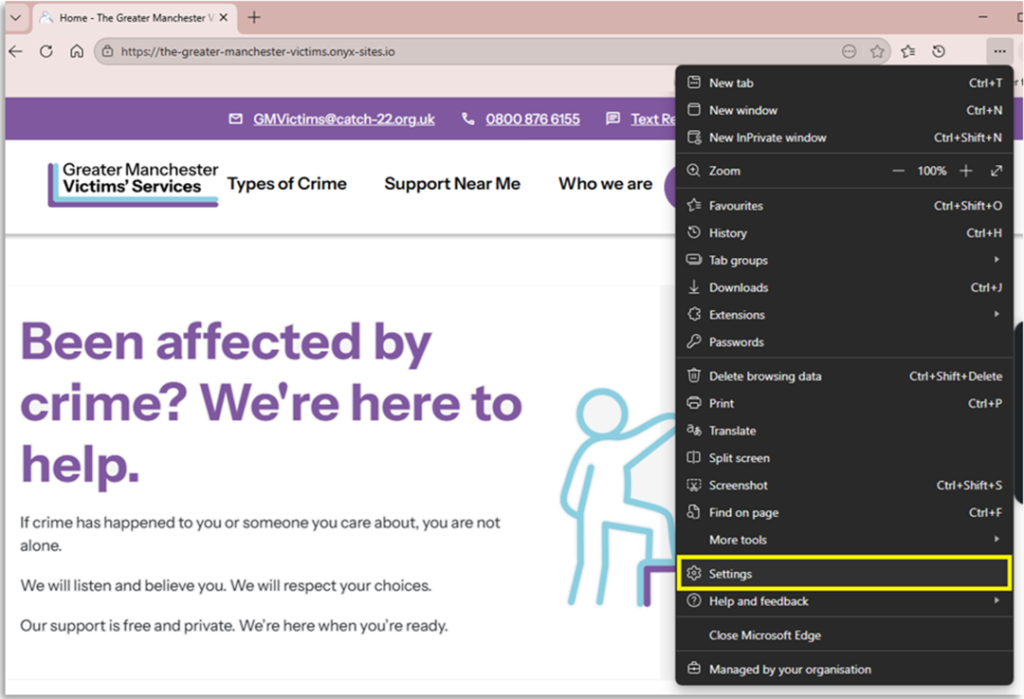
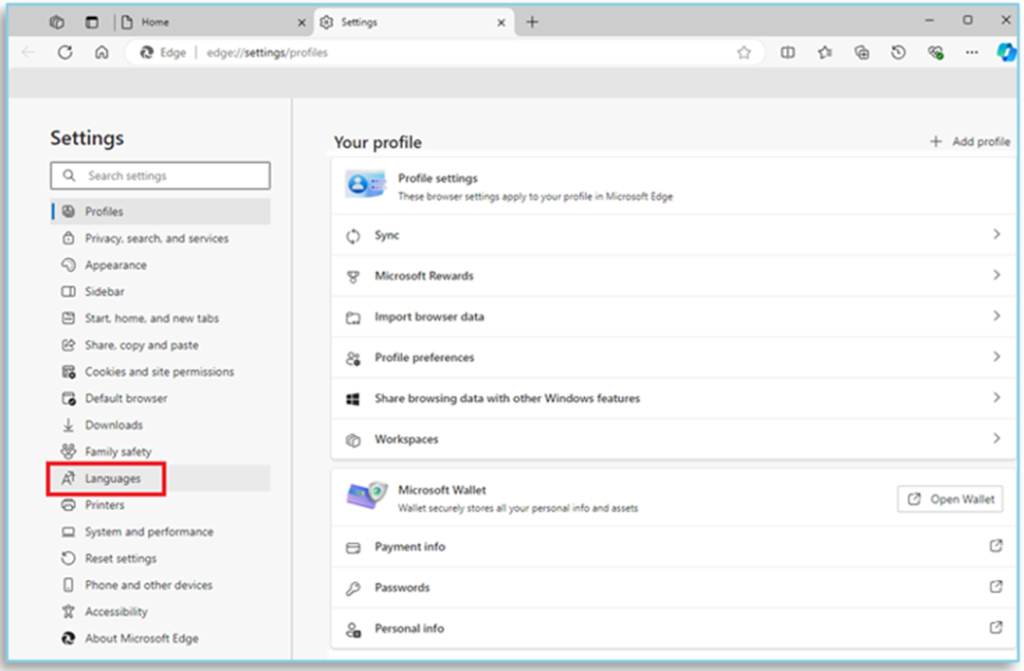
Step 3: On the left side of the page in the setting sidebar ‘Click’ Languages.
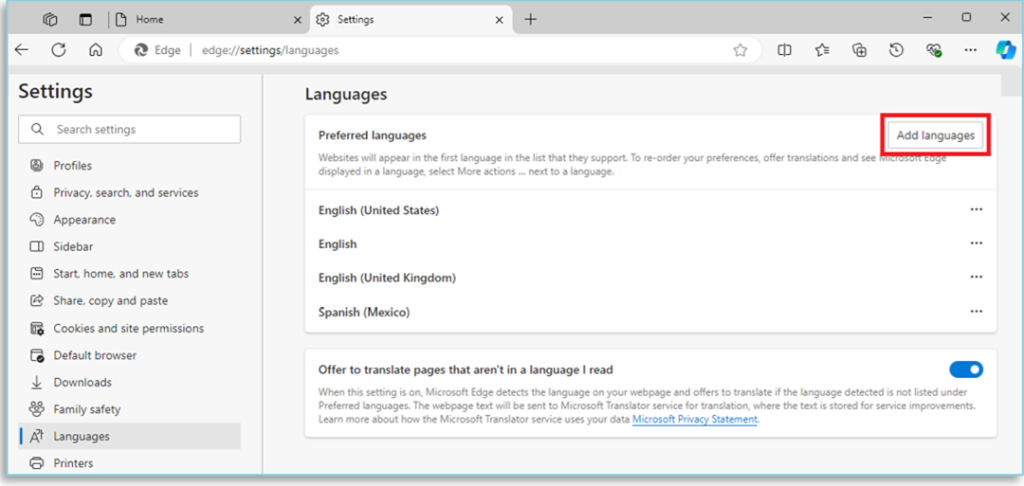
Step 4: On the top right of the page ‘Click’ ‘Add Languages’.
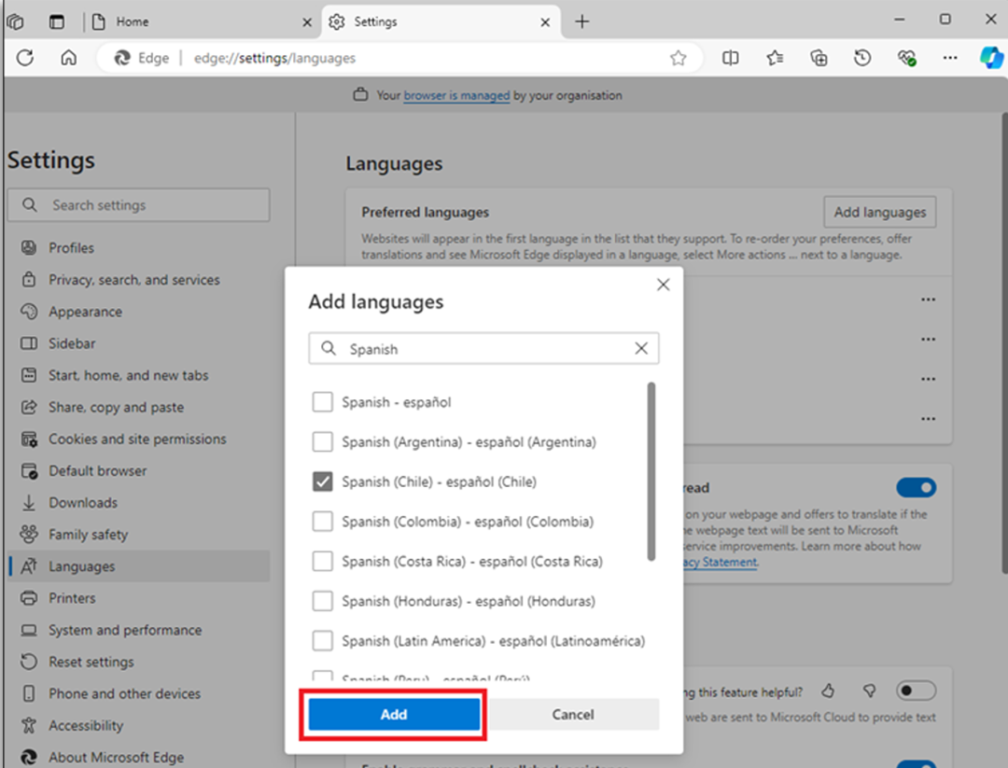
Step 5: A popup window titled ‘Add Languages’ will appear on the screen. You can either ‘type’ or ‘scroll’ through the list of languages, then click the checkbox on the left side of the language you want to add.
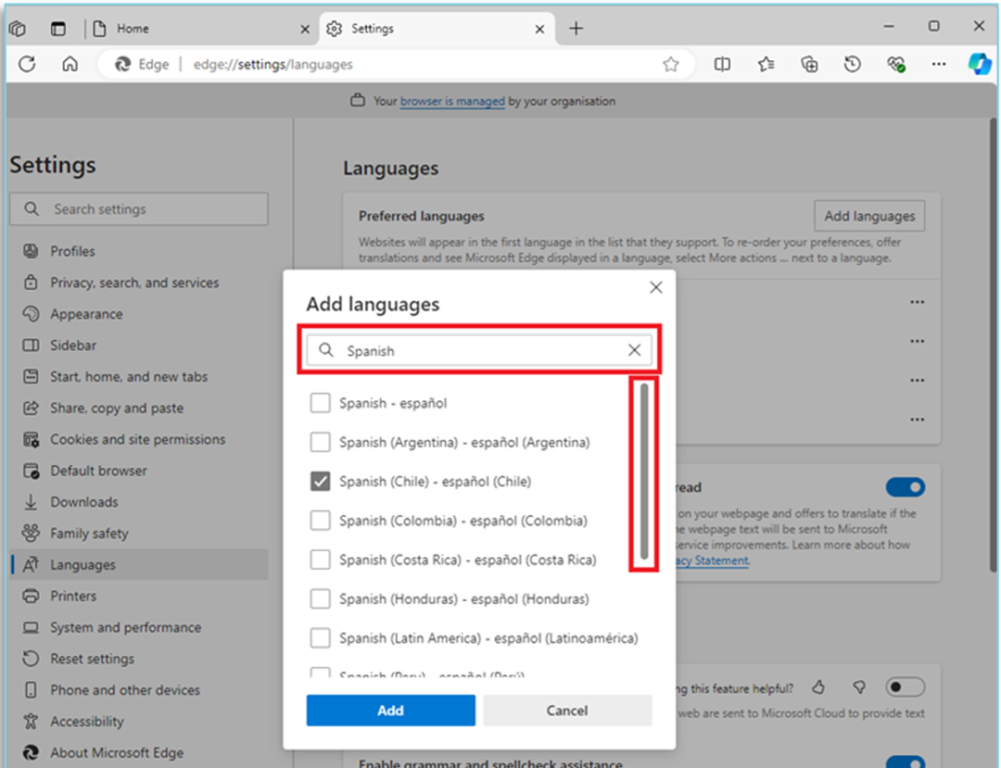
Step 6: Once you have made your choice ‘Click’ ‘Add’.
Step 7: ‘Click’ the three dots to the right of the language you have chosen.
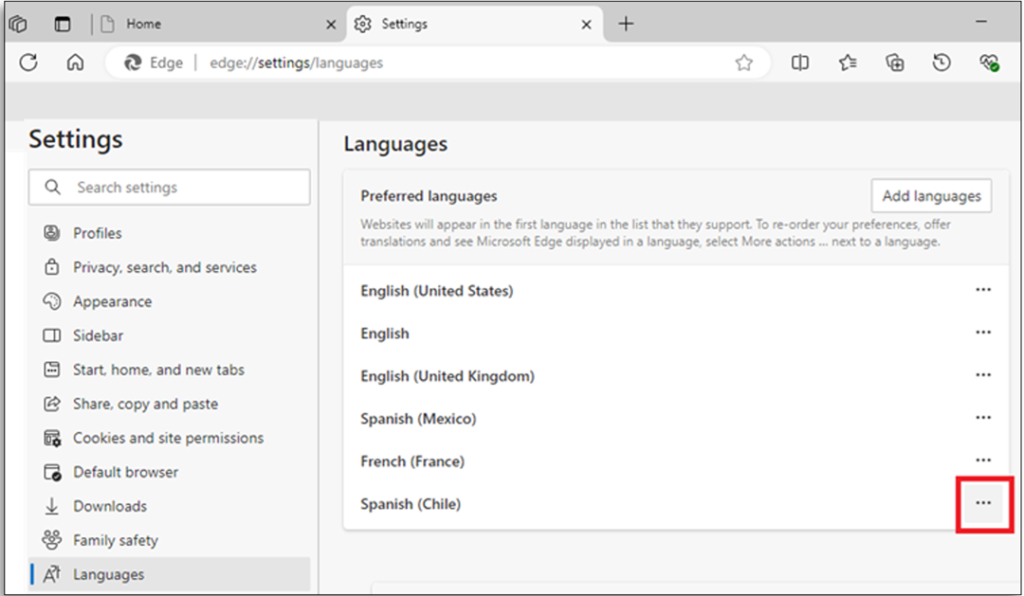
Step 8: ‘Click’ ‘Move to the top’. The first language on the top of the list will be the display language.
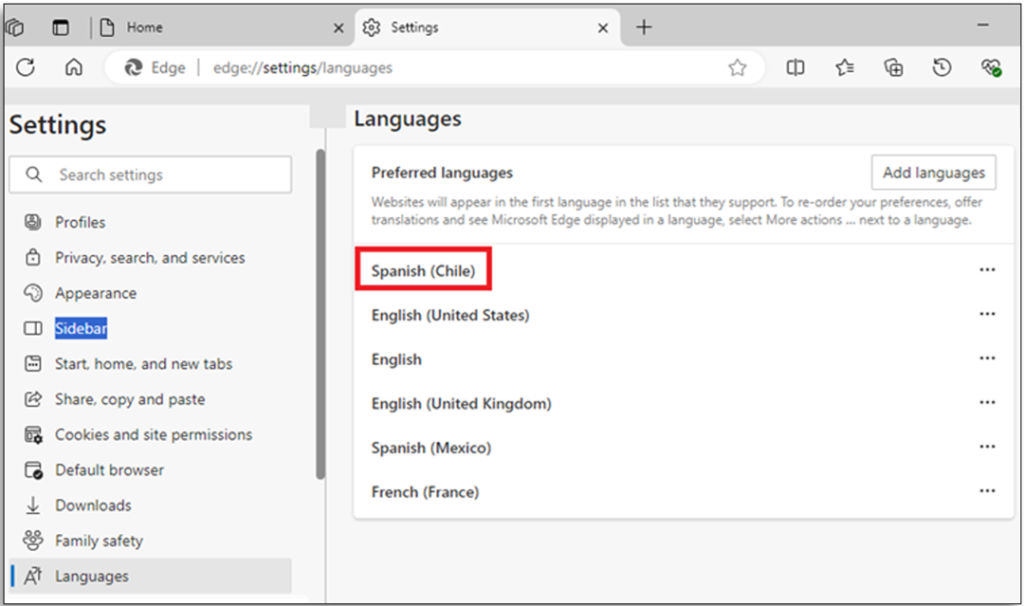
Step 9: The preferred language will be at the top of the list. ‘Close’ the browser to launch the update.
Copy the link https://gmvictimsservices.org and paste it into your web browser.
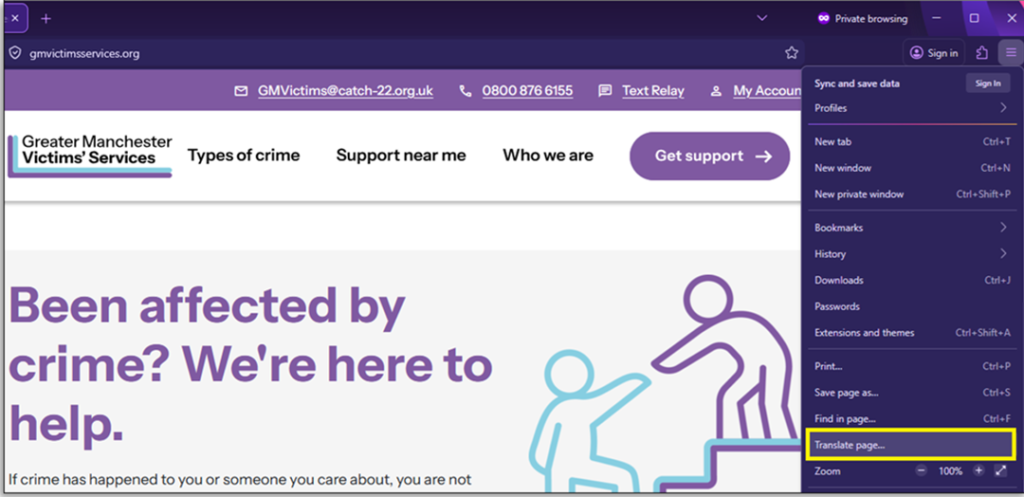
Step 1: ‘Click’ the three horizontal lines to the right of the web browser page.
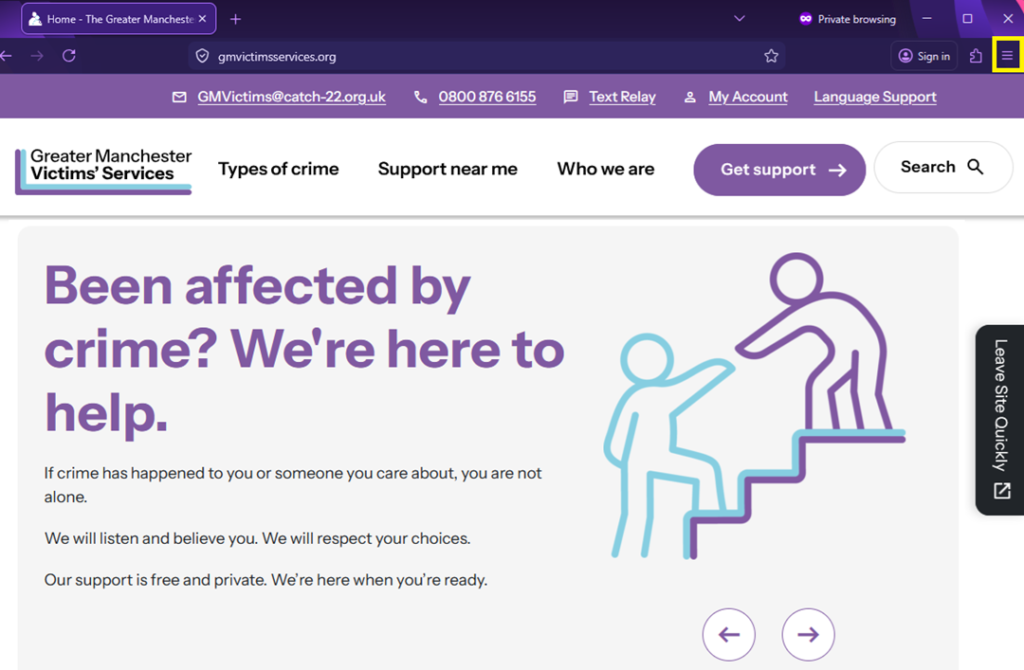
Step 2: ‘Click’ ‘Translate page’ from the drop-down menu.
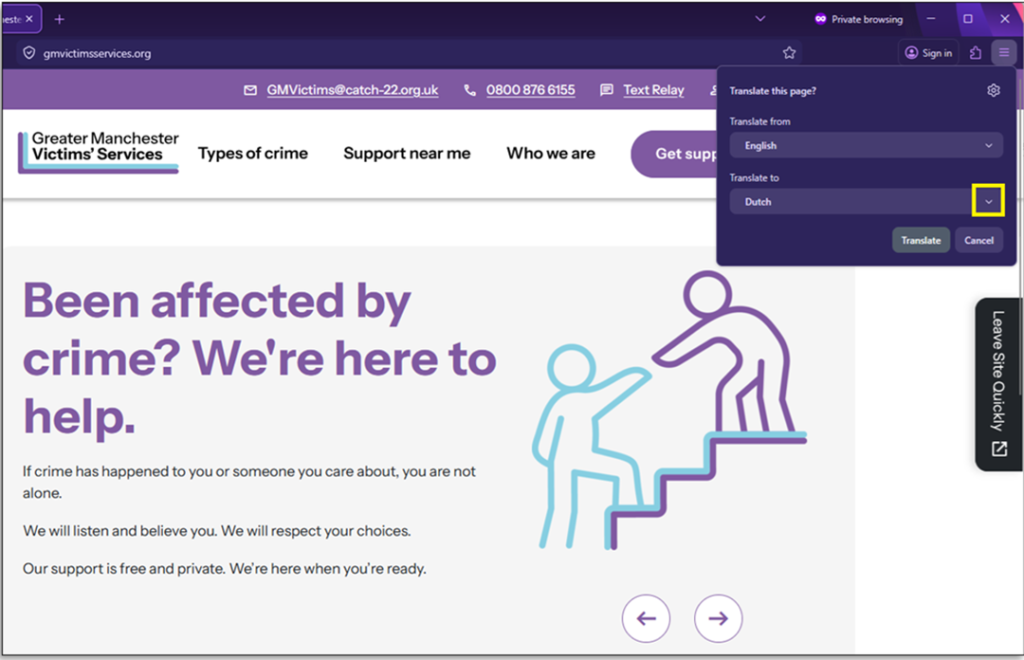
Step 3: Select a language from the drop-down menu. In this scenario Dutch has been selected
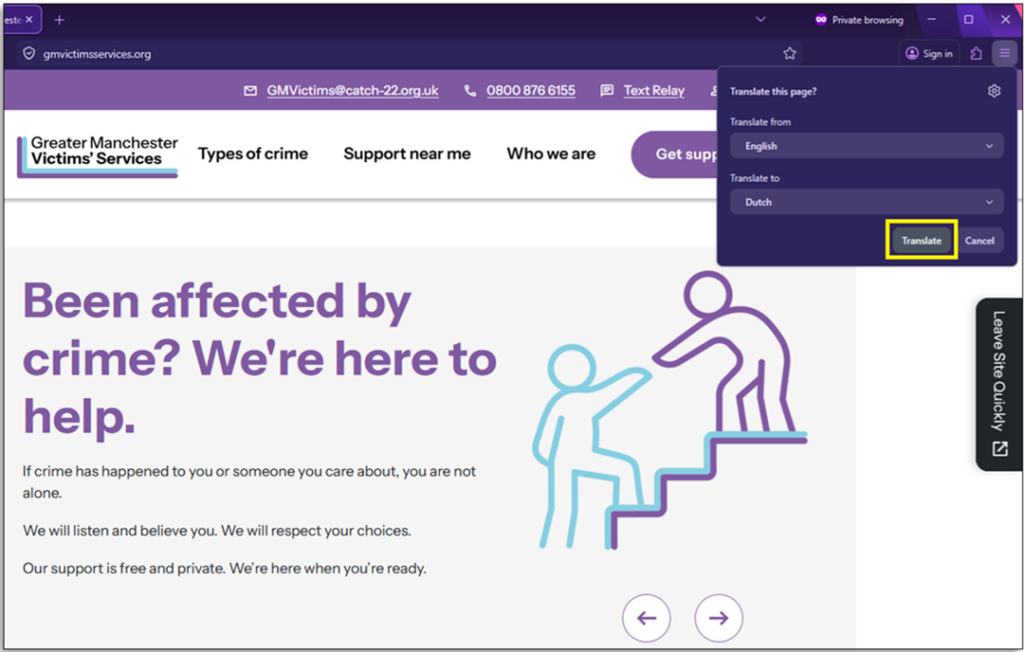
Step 6: ‘Click’ ‘Translate’
Step 7: The translated page will be displayed on the website.
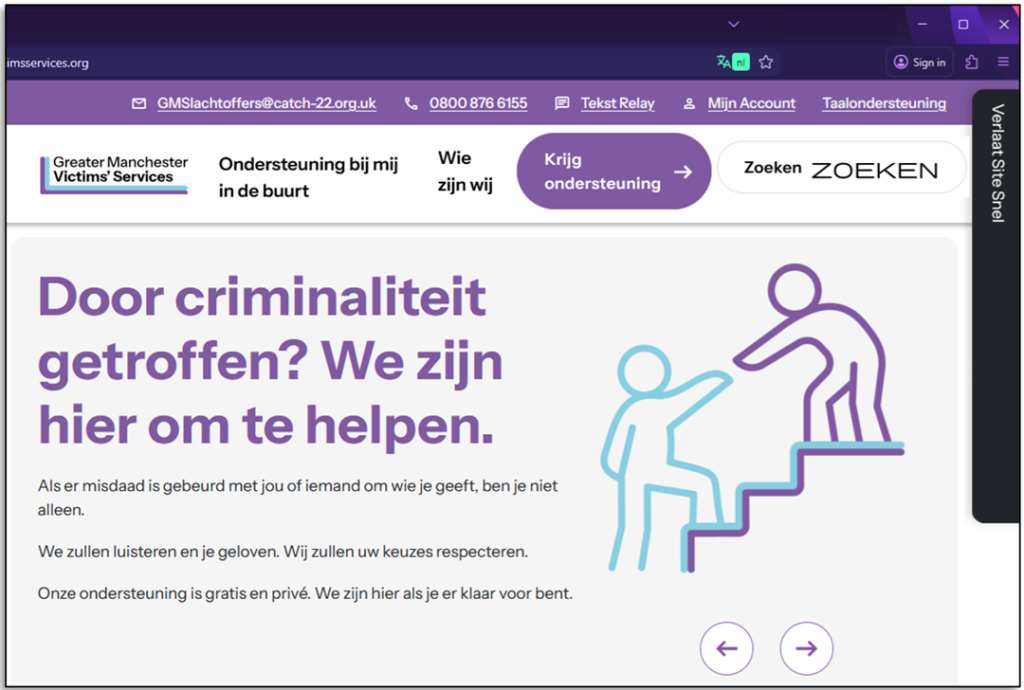
Note: If you want to revert to the original language repeat the process.